1.1 Frame & Component
a. Mobile
b. Desktop
1.2 Geometry
a. Rectangle
b. Line
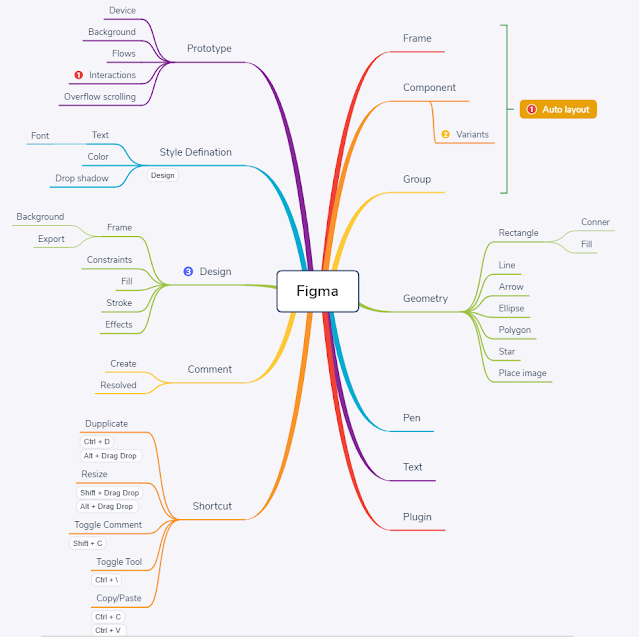
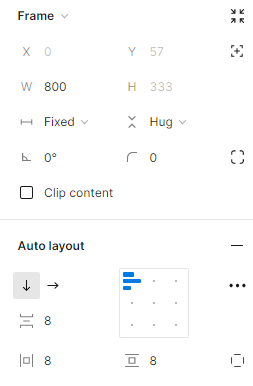
2. Auto layout
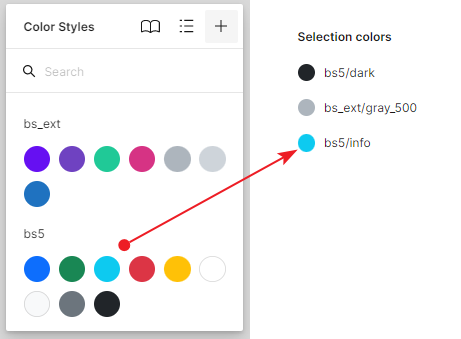
3. Styles
4. Auto Layout Form
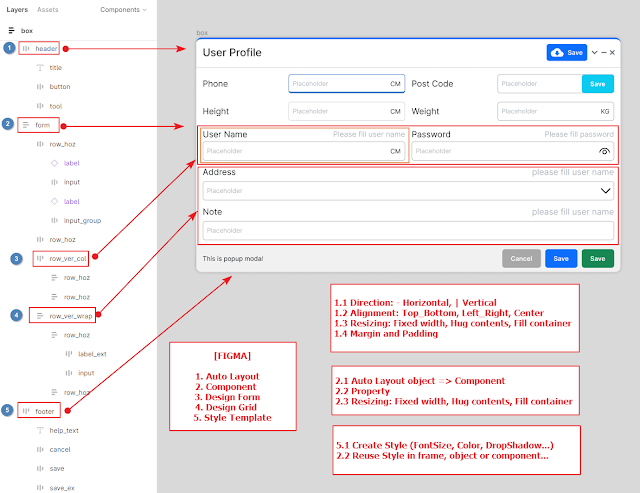
4.2 Auto Layout Dialog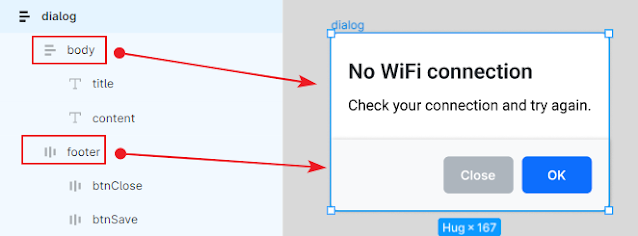
5. Auto Layout List
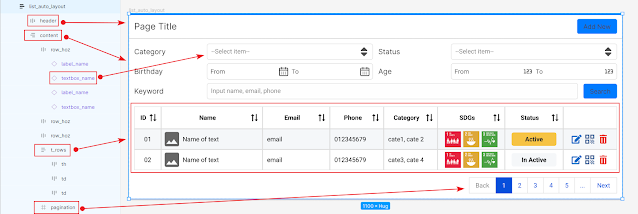
a. Mobile
b. Desktop
a. Rectangle
b. Line
Count down 365 application support calculate distance between today date to selected date, support highlight Vietnam holidays, find lunar date, calculate total work days in month.
New UI (Send email to receive App)


The application support "Upload/Download" file use hosting application in IIS Web Server (.NET 5)
You can "Upload/Download" file from computer to your mobile device (same Wifi Transfer)
Download .NET 5 Runtime at here
Download Hosting Bundle at here
1. Login Screen

2. Main Screen: click on folder and click on file to Download

3. Main Screen Upload

4. Mobile Screen: you can access IIS Website on mobile to Download files

 |
| Drag drop file to execute convert |
using System;
using System.IO;

namespace Base64Converter
{
    public class ConvertToBase64
    {
        private readonly string _file;

        private ConvertToBase64(string file)
        {
            _file = file;
        }

        private void Parse()
        {
            try
            {
                var bytes = File.ReadAllBytes(_file);
                var base64String = Convert.ToBase64String(bytes);
                var base64Path = Utils.GetFileName(_file + ".base64");
                File.WriteAllText(base64Path, _file + Environment.NewLine);
                File.AppendAllText(base64Path, base64String);
                Logger.Write("Base64 File: {0}", base64Path);
            }
            catch (Exception ex)
            {
                Logger.Error(ex.Message, ex);
            }
        }
        public static void Parse(string file)
        {
            var converter = new ConvertToBase64(file);
            converter.Parse();
        }
    }
}
using System;
using System.IO;

namespace Base64Converter
{
    public class ConvertToFile
    {
        private readonly string _file;

        private ConvertToFile(string file)
        {
            _file = file;
        }

        private void Parse()
        {
            try
            {
                var allLines = File.ReadAllLines(_file);
                var filePath = _file.Substring(0, _file.Length - 7);
                var base64String = string.Empty;
                switch (allLines.Length)
                {
                    case 1:
                        base64String = allLines[0];
                        break;
                    case 2:
                        filePath = Utils.GetFileName(allLines[0]);
                        base64String = allLines[1];
                        break;
                    default:
                        base64String = string.Join(string.Empty, allLines);
                        break;
                }

                var bytes = Convert.FromBase64String(base64String);
                File.WriteAllBytes(filePath, bytes);
                Logger.Write("File: {0}", filePath);
            }
            catch (Exception ex)
            {
                Logger.Error(ex.Message, ex);
            }
        }

        public static void Parse(string file)
        {
            var converter = new ConvertToFile(file);
            converter.Parse();
        }
    }
}
 |
| Help to use |


